Where I live and work
Initially self-taught back in the early 1980s, I started programming on a ZX81 and I've been in love with software development ever since. My "primary" language has drifted over the years, but as it has I've made an effort to get to know and work with plenty of others.
These days I do a lot of Python/Django/JavaScript work, while having fun working with bioinformaticians and machine learning scientists.
It's no surprise that I spend a lot of time in Emacs. Especially when I'm developing software, either for work or for personal fun, most of my time is time spent in Emacs. While I do obviously flit over to Chrome, and mostly do my CLI stuff in iTerm2 (I really like eshell but it just can't replace a good terminal for me), I spend a lot of time looking at Emacs.
Here's what my Emacs looks like:
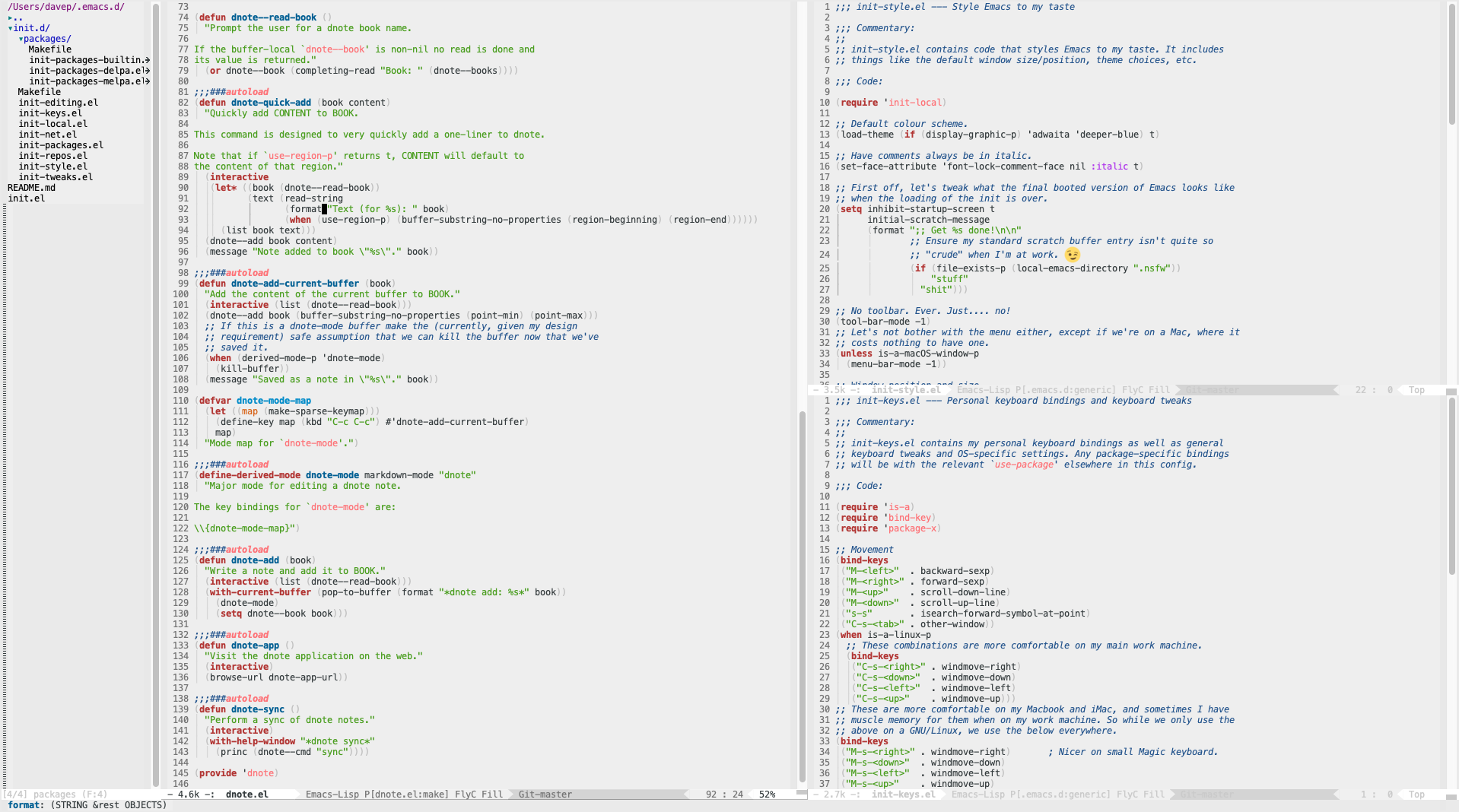
Key elements for me are as follows:
Light background
Something I've never really got on with when it comes to code editing is dark themes and dark backgrounds. I find it too much of an eye strain. Oddly, I tend to prefer dark themes everywhere else, but not when it comes to working in Emacs. The theme I use is the built-in adwaita theme.
Less boring mode line
I make use of powerline to make the mode line a bit less boring-looking. While the colour scheme is such that it's kept in line with the light look, the style is nice in that it sort of matches the style of prompt I use in my shell.

Full screen
I always run Emacs as a full-screen application, then splitting it into different tiled windows using its own internal window handling. This is something I've done from way back when I got started with my first GNU/Linux desktop machine, and still like to do on macOS.
I also run Emacs as a server and then use a little wrapper around emacsclient to open files (both locally and remotely) from the command line in that Emacs session.
Comfortable eshell when I need it
Although I say above that I generally don't use eshell, preferring to use a full-featured terminal application, in combination with fish, I do sometimes dip into eshell for quick things. So of course I have that configured to feel comfortable too.
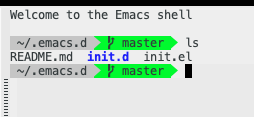
I do this easily thanks to eshell-git-prompt.